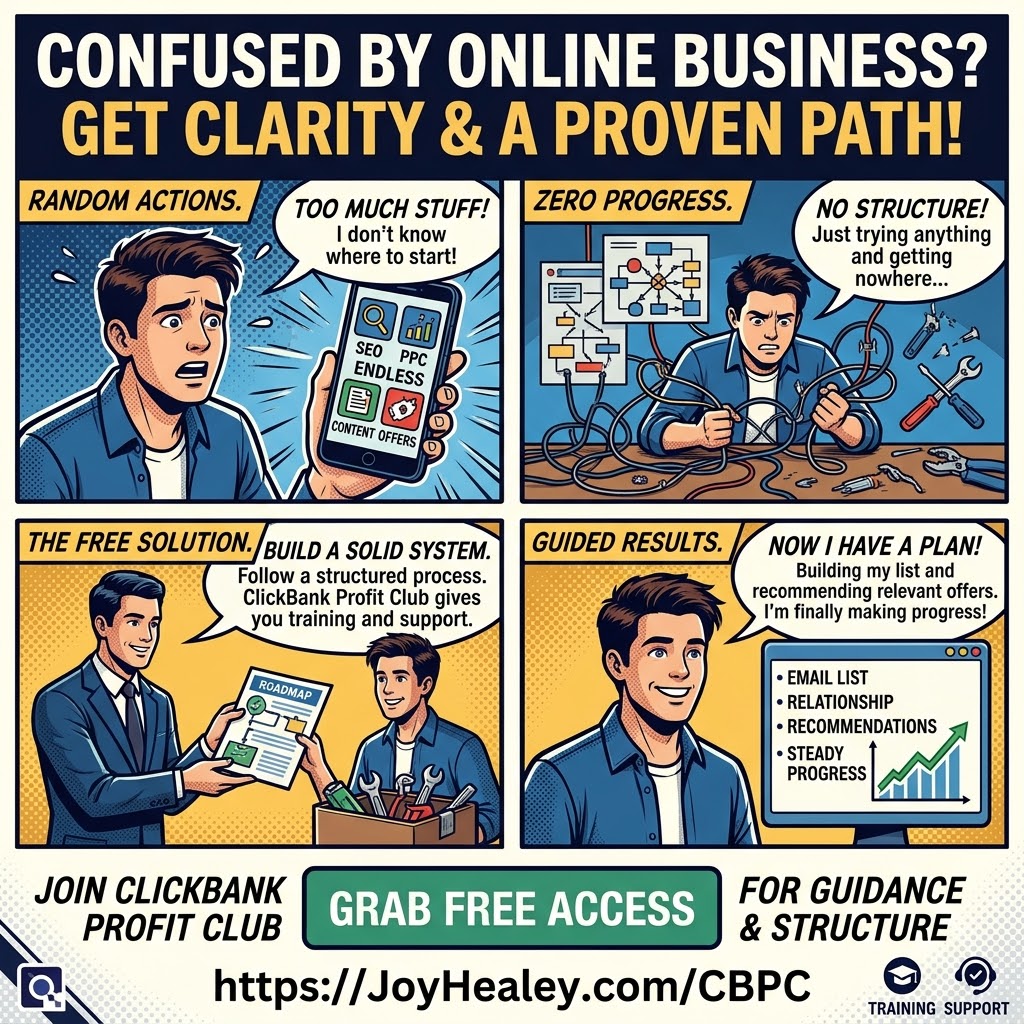

Table of Contents
Banners help beginners promoting the ClickBank Profit Club. It’s not a complete strategy, but it’s a quick win to feel you’re taking action.
 Banner ads are often a cheap and cheerful way to advertise – and you’ll find the best free banner advertising I know here.
Another good place to host your banners (i.e. where they live) and place some free ads is LeadsLeap. Open a free account there, and as you become more experienced in online marketing, you’ll wonder how you ever did without it.
But you may ask:
Are banners useful for advertising?
Certain sizes may not be as useful as they were when I first started, but a marketer who I respect reminded me that if someone clicks your banner, they are highly engaged because they interrupted what they were doing to look at what attracted them to your banner . So don’t dismiss banner advertising!
Also, as social media is now very popular, there is a whole different set of banner sizes that you may want to create. See my banner size table below.
When you have opened your free ClickBank Profit Club account here (if you don’t already have one) you’ll find the image creator in the My Products tab at the top. Read the FAQs; they tell you all you need to know. The image creator comes complete with a user guide so that you’ll know exactly how to use it.

How do you create an advertising banner?
Confession time… even with every AI tool at my fingertips, I’m still not hugely creative. 🎨
I remember when I first started promoting online, I didn’t have a clue how to create a basic banner. It sounds so simple to me now, but back then I had to ask a friend for help.
Fast forward now, I can make my own banners in several ways. I’ve got HBA Premium. I’ve got ChatGPT.
But every time I sit down to design something, I’m reminded…
What about the beginner?
- The person who’s just starting to learn affiliate marketing with ClickBank Profit Club.
- Already juggling a dozen new things.
- Learning what an affiliate link even is.
They just want to get going.
Then someone tells them that banner advertising is a great place to start – or to post an image on social media for free advertising. Something like that can stop them in their tracks.
Here’s what I’ve noticed…
Most people don’t stall because the big things are too hard.
They stall on the little things.
- The banner that takes three hours to make.
- The sizing that doesn’t quite fit.
- The quiet worry that they’ve said something they shouldn’t have.
None of it is difficult on its own. But stack enough little things together and the whole journey starts to feel like a mountain.
That’s why I love the new feature inside the ClickBank Profit Club.
An image generator that creates banners in a huge variety of styles and sizes.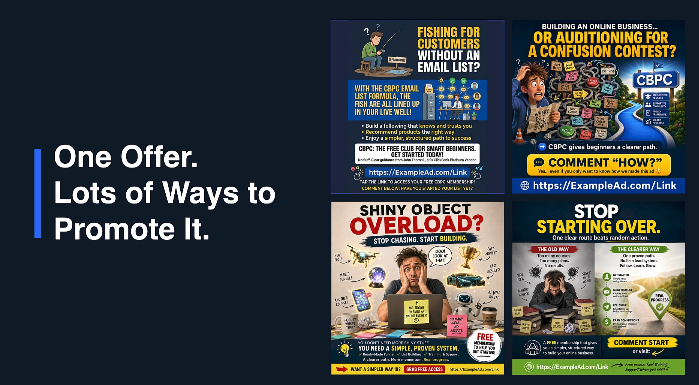
Done for you.
And here’s the bit that matters most for beginners. It’s trained with product knowledge and safety built in. The kind of details a beginner might easily forget. Or never even know to look for.
That part really matters because a pretty banner isn’t the goal.
A pretty banner built with the right details baked in .. now that’s something you can use with confidence.
One less learning curve.
One less thing standing between someone and their first step.
Here’s the lesson I keep coming back to…
Creativity is NOT the entry ticket.
Momentum is. And momentum comes from removing friction, not from piling more skills onto an already full plate.
So if you’re just starting out, give yourself permission to lean on tools that carry part of the load.
That isn’t cutting corners. It’s choosing where your energy goes.
And if you’re further along the road, and have your own team, it’s worth asking yourself… what little thing could I take off a beginner’s plate today?
Suggest to them that they start placing curiosity images on social media and banner advertising sites.
The most common banner sizes and where to use them.
For Blogs & Email – Preferred Platforms for the ClickBank Profit Club
| Size | Dimensions | Placement | Use Case |
|---|---|---|---|
|
Medium Rectangle
|
300×250
|
In-content or sidebar
|
Most versatile; 40% of ad impressions
|
|
Leaderboard
|
728×90
|
Top of page (header)
|
Immediate attention on page load
|
|
Wide Skyscraper
|
160×600
|
Sidebar rails
|
Persistent visibility while scrolling
|
|
Half Page
|
300×600
|
Sidebar or between sections
|
High-impact storytelling space
|
|
Email Banner
|
600×200-250
|
Header or mid-email
|
Works in all email clients
|
For Social Media – Free or Paid Advertising for the ClickBank Profit Club
| Platform | Recommended Size | Aspect Ratio | Best Format | Use Case |
|---|---|---|---|---|
|
Facebook Feed
|
1080×1080
|
1:1
|
JPG/PNG (up to 30 MB)
|
Standard feed ads
|
|
Instagram Feed
|
1080×1080
|
1:1
|
JPG/PNG (up to 30 MB)
|
Product showcases
|
|
Instagram/Facebook Stories & Reels
|
1080×1920
|
9:16
|
Full-screen vertical
|
High-engagement, immersive
|
|
TikTok In-Feed
|
1080×1920
|
9:16
|
Vertical video
|
Mobile-first, best performing
|
|
Pinterest
|
1000×1500
|
2:3
|
JPG/PNG (vertical)
|
E-commerce, inspiration pins
|
|
LinkedIn
|
1200×627
|
1.91:1
|
JPG/PNG (up to 5 MB)
|
B2B, professional content
|
|
X (Twitter)
|
1200×1200
|
1:1
|
JPG/PNG (up to 5 MB)
|
Conversational, engagement ads
|
|
YouTube
|
1920×1080
|
16:9
|
Video (1080p)
|
Skippable/bumper ads
|
Key Social Media Tips:
-
Vertical prioritized: Instagram, TikTok, Facebook Stories all favor 9:16 (1080×1920)
-
Safe zones matter: Keep logos/text away from edges where platform UI elements appear
-
Square (1:1) is versatile: Works across most social platforms
-
Pinterest is different: Uses 2:3 ratio (1000×1500) – taller pins dominate feeds
Platform-Specific Advantages
-
TikTok: 9:16 format performs best, native video content
-
Pinterest: Perfect for affiliate links to products (high click-through)
-
Facebook/Instagram: Carousel ads let you show multiple products
-
LinkedIn: B2B products or professional services
-
YouTube: Pre-roll or bumper ads for broad reach
This gives them the flexibility to promote across owned channels (email/blog) or expand into social when they have time/resources.
Tip on creating banners:
The 300×250 is the most forgiving size to start with – it works everywhere and performs consistently across devices.