Table of Contents
How many blogs is too many to manage well? Could automated blogging with AI help my blogging experience as an affiliate marketer?
I love blogging, and I’ve started more than one site because I enjoy writing about different topics. The problem was quality. When you’re juggling several blogs, it’s easy to post less often, or publish something that feels rushed.
I used to be a computer programmer, so I honestly thought running an online business would be simple. Build the site, add content, wait for traffic, right? I learned fast that blogging is only one part of the job. There’s also planning, editing, email, social posts, affiliate updates, and about a hundred tiny decisions that drain your energy.
Then I found RightBlogger.
RightBlogger uses AI, so I was wary at first, but I quickly found that it helped me stay consistent and keep my posts professional, even when I’m working across multiple platforms. In this post, I’ll share what changed, what my workflow looks like now, and what you can copy if you’re building your own online business.
Key takeaways from using AI in blogging with RightBlogger
- I start posts faster because I don’t get stuck staring at a blank screen.
- My outlines feel clearer, so my writing stays focused.
- I waste less time rewriting the same paragraph five different ways.
- I keep a more regular posting rhythm across multiple blogs.
- I feel less stressed because my process is repeatable.
- I spend more time on promotion, not just writing.
- I’m more comfortable using AI in blogging because I treat it like an assistant, not a replacement.
If you’ve ever felt like social media platforms are holding your business hostage, you’re not imagining it. One week a post reaches people, the next week it disappears into thin air, and you’re left guessing what you did “wrong”.
That’s why I still believe in blogging. It isn’t old news, it’s the most practical way I know to build something evergreen that I own. The problem is, keeping a blog fresh, useful, and ranking can feel like a part-time job.
That’s where AI can help, if it’s used the right way. Here’s a full review of my experiences with RightBlogger, or if you prefer video, watch below:
Why I Tried Automated Blogging
A friend asked me to try RightBlogger, and I’ll be honest, I was skeptical, because of my experiences with automated blogging years ago. The rubbish that was generated was so dire I was actually glad when those blogs were hacked beyond rescue. I’ve learned a lot since then!
What my blogging workflow looked like before RightBlogger (and why it wore me out)
Before RightBlogger, my workflow looked “busy,” but not productive.
I’d open a dozen tabs, bounce between tools, and try to remember what I was doing on each blog. One day I’d brainstorm topics. Another day I’d try to outline. Then I’d lose half an hour re-reading old drafts because I couldn’t remember my angle.
Tool overload made it worse. I already use a lot of tools and platforms for my online business, and each one has its own logins, settings, and learning curve. So even when I had a solid idea, I’d hit friction fast. Something always needed formatting. Something always needed rewording. Something always felt slightly “off.”
The pressure to sound professional didn’t help. When you publish online, your writing is your handshake. If it’s messy, readers notice. If it’s confusing, they leave. So I’d keep polishing, and polishing, until I ran out of time.
That’s the part that surprised me most as a former programmer. Building a website felt like the hard part. Running it, week after week, is what takes real systems.
The hardest part wasn’t writing, it was staying consistent
Writing itself wasn’t my biggest problem. Consistency was.
A post doesn’t start when you type the first sentence. It starts when you choose a topic people care about, shape a strong angle, and commit to finishing. Then you have to edit, add links, check facts, create a title, and hit publish on a schedule that makes sense.
When I skipped weeks, my blogs felt “quiet.” That affects trust. Readers don’t always say it out loud, but they do notice when a site looks abandoned. Traffic also tends to follow momentum. When I stopped publishing, I stopped getting new entry points from search and from shares.
I’d tell myself, “I’ll catch up this weekend.” Then the weekend would arrive, and I’d feel like I was trying to fill a swimming pool with a coffee cup.
At some point, I realized I didn’t need more motivation. I needed a lighter process.
How RightBlogger changed the way I plan, write, and publish
The biggest shift with RightBlogger wasn’t that it “writes for me.” It’s that it removes the slow, fuzzy starting steps that used to stall my week.
When I sit down to work now, I don’t ask, “What should I write?” for an hour. I pick a topic, shape it into a clean plan, then write while my brain is still fresh. That order matters.
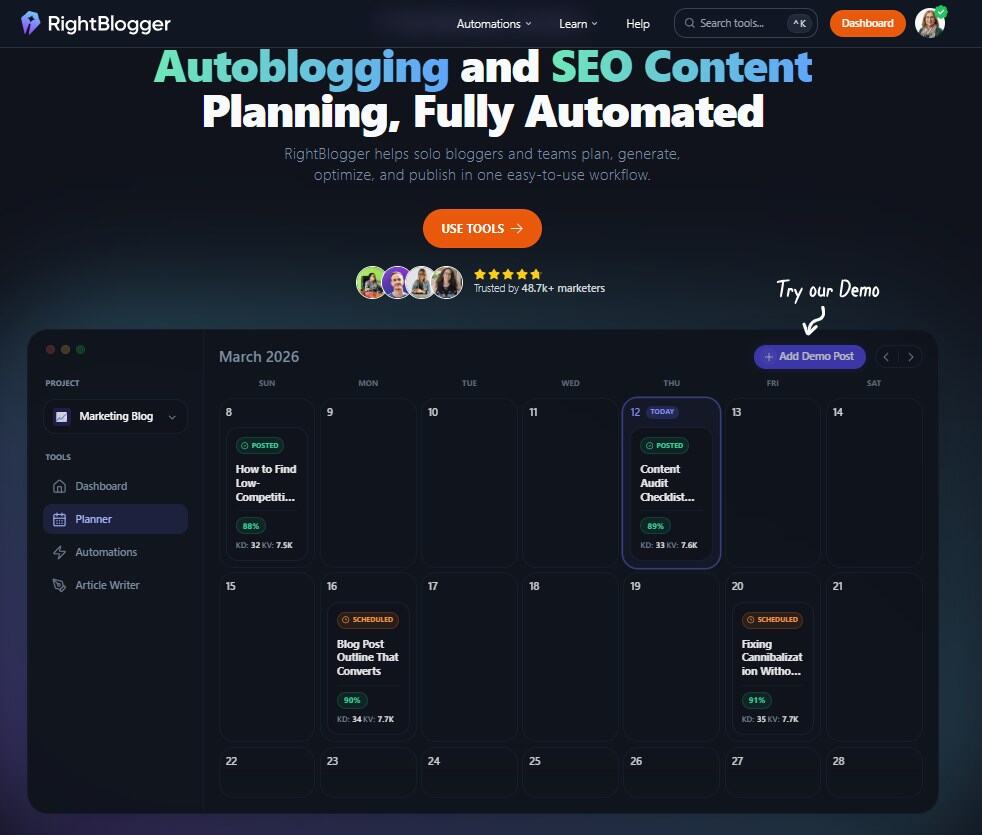
I use the RightBlogger AI blogging tool as a practical assistant inside my workflow. It helps me go from idea to a workable draft, then I make it mine. I still do the final thinking. I still add real examples and personal context. I still decide what’s worth publishing.
I also like that it’s built for bloggers, not just generic AI chat. The platform is designed around common blogging tasks, including SEO-focused writing support and publishing integrations (like WordPress). That fits my day-to-day reality because I’m not only writing, I’m running an online business.
My rule now is simple: AI can help me move faster, but I don’t publish anything until it sounds like me and reads clearly.
I go from idea to outline faster, so I start writing sooner
A good outline is like a set of rails. It keeps the post moving forward.
Before, I’d start with a “rough idea,” then wander. Halfway through, I’d realize I was mixing two different posts, or I wasn’t answering the question a reader actually had. That meant more rewrites, and more unfinished drafts.
Now I turn the rough idea into an outline quickly, then I write section by section. That keeps me out of the mental swamp.
Here’s a small example of what that looks like in real life:
I might start with something messy like, “How to grow an email list for beginners.” Then I shape it into a cleaner angle: “How I set up a simple opt-in, what I offered, and how I promoted it without posting all day.” From there, the outline becomes obvious: the setup, the freebie, the placement on the site, the promo plan, then common mistakes.
Once the outline is clear, writing feels lighter. I’m not hunting for what to say next. I’m just filling in the gaps with my own experience and advice.
My drafts sound more like me, just cleaner and easier to read
One fear people have about AI writing is that it will make their blog sound generic. I had that worry too.
What changed for me was how I use it. I don’t ask for “a perfect post.” I use it to tighten what I already mean.
For example, I’ll take a clunky paragraph and rewrite it in simpler language. I’ll shorten long sentences. I’ll remove repeats. Then I read it out loud and adjust the tone until it feels natural. If I wouldn’t say it to a friend, I won’t publish it.
This matters even more when you run multiple blogs. Each site may have a different focus, but your voice should still feel like a real person. RightBlogger helps me keep the writing easy to read (around an 8th-grade level), while still sounding like me.
I also like the editing support because it reduces the kind of fatigue that leads to sloppy posts. When I’m tired, I can miss basic problems, like unclear wording or a confusing order. With a cleaner draft in front of me, I make better final edits.
The real results I noticed across all my blogs
The best result wasn’t one magic spike in traffic. It was steadier progress.
When my workflow got easier, I posted more regularly. When I posted more regularly, my blogs felt alive again. That gave me more confidence to promote posts, send emails, and keep building my business.
It also helped me protect my time. Online business success takes more than a website. It takes repeatable systems you can use on a normal week, not just an “ideal” week.
Another quiet win was mental space. Instead of thinking about blogging all day, I can finish a post, schedule the next steps, then move on. That’s a big deal if you’re building income over time, especially if you’re doing this part-time.
I still do the work that only a human can do, like personal stories, real product experience, and clear opinions. RightBlogger just helps me get to that part sooner.
I spend less time juggling tools, and more time growing the business
Before, my week could disappear into setup tasks. Formatting. Rewriting. Switching tools. Copying text into different places. It added up.
With a simpler workflow, I get time back for the business tasks that actually move the needle, like:
- writing to my email list, even if it’s short
- reviewing affiliate offers and updating older posts
- improving internal site structure so readers can find what they need
- sharing content in a way that fits my audience, not a forced schedule
I also make better decisions because I’m not rushed. When content takes forever, you tend to publish just to “get it done.” When content feels manageable, you can slow down and ask, “Is this truly helpful?” That question alone improves quality.
One more thing, I don’t treat AI output as “finished.” I treat it as a draft that needs my judgment.
If I can’t verify a claim quickly, I remove it or rewrite it as an opinion, not a fact.
FAQs about RightBlogger and using AI in blogging
Will AI make my blog sound generic?
It can, if you copy and paste without editing. I avoid that by adding my own stories, phrasing, and opinions. I also edit for rhythm, because readers can feel when writing sounds flat. The goal is a strong draft, then a human finish.
How do I keep my voice?
I keep a few “voice rules” for myself: short sentences, simple words, and real examples from my life. Then I edit any AI text until it matches those rules. If a sentence feels like something I’d never say, I change it.
Is RightBlogger okay for affiliate marketing blogs?
Yes, it can fit affiliate content well, especially for outlines, comparisons, and product-related drafts. I still add honest context, who it’s for, who it’s not for, and any limits. That part builds trust, and trust drives conversions.
What should I never outsource to AI?
I don’t outsource personal experience, product testing, or final recommendations. I also don’t outsource compliance-related details, like legal claims or health advice. AI can help with structure and wording, but judgment stays with me.
How do I fact-check AI output?
I keep it simple. I verify anything that sounds like a hard fact (dates, stats, tool features, pricing, policies). If I can’t confirm it from a reliable source, I remove it. When I’m sharing personal results, I describe what I noticed, not what everyone should expect.
Can I use it if I run more than one blog?
That’s one of the main reasons I use it. When you manage multiple sites, starting is the hardest part. With help on planning and drafts, I can keep each blog active without feeling like I’m always behind.
Is using AI in blogging “allowed” by Google?
Google’s focus is quality and usefulness, not whether you typed every word by hand. In practice, I treat AI as a helper for first drafts, then I edit heavily. If the final post helps readers and feels honest, I’m comfortable publishing it.
Conclusion
Before RightBlogger, I spent too much time starting, stopping, and rewriting. The work felt heavier than it needed to, especially while managing multiple blogs and all the other moving parts of an online business.
RightBlogger fixed the parts of blogging that wore me out most, the blank page, the messy drafts, and the constant tool switching. As a result, I publish more consistently, and my writing stays professional without draining my energy.
If you want a simpler workflow, start by tightening your process, not your schedule. Try using AI in blogging as support for planning and editing, then keep the final voice human. If you’d like help choosing tools or mapping a realistic content plan for your online business, reach out and tell me what you’re building.